

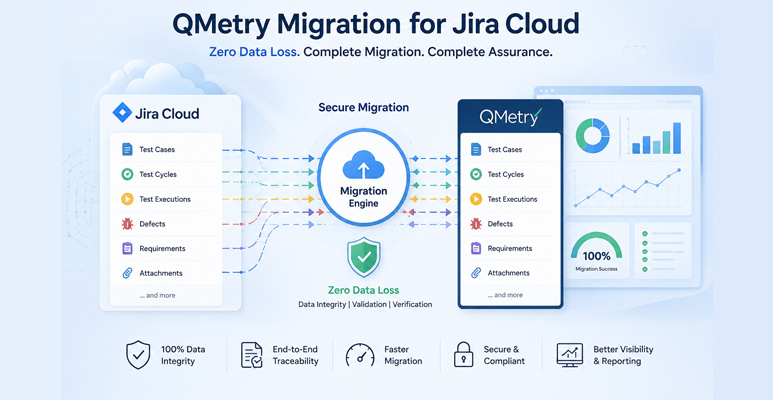
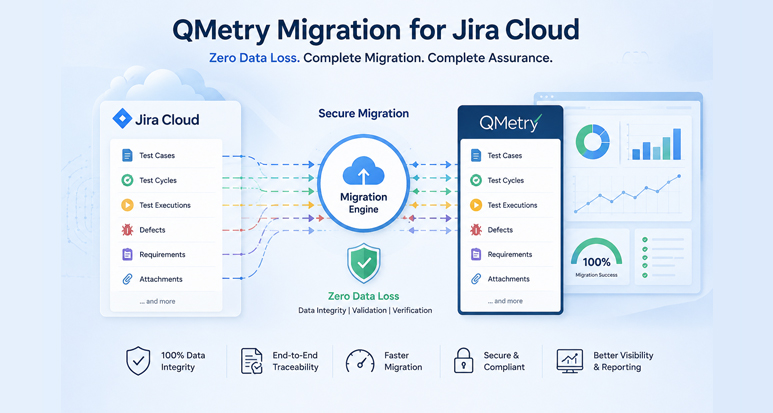
QMetry Migration for Jira Cloud – Zero Data Loss
Test Triangle delivers end-to-end QMetry Test Management migration between Jira Cloud instances – preserving every test case, test cycle, relationship, attachment, and execution history with complete traceability.
QMetry Test Management for Jira Cloud
QMetry is a comprehensive test management solution built to integrate seamlessly with Jira Cloud. It enables QA teams to design, organize, execute, and track test cases directly within Jira – ensuring end-to-end traceability between requirements, test scenarios, and defects.
Designed for agile and DevOps environments, QMetry enhances collaboration, improves test coverage, and provides actionable insights through real-time reporting and analytics.
QMetry Migration Limitations in Jira Cloud
QMetry Cloud has no native cross-instance migration capability. These constraints explain why a specialist solution is essential for safe, complete migration.
No Native Cross-Instance Migration
QMetry Cloud provides no built-in feature to transfer test data between Jira instances. Manual export/import is the only default path, making large-scale migration error-prone and time-consuming.
Limited Export Formats (CSV/Excel Only)
Export is restricted to CSV or Excel – flat formats that cannot capture hierarchical relationships between test cases, test cycles, executions, and Jira requirements.
Complex Entity Relationships Not Preserved
Links between test cases, test cycles, executions, and defects are often broken or lost during standard migration, destroying end-to-end traceability.
System-Generated ID Conflicts
Entity IDs are instance-specific and regenerated in the target Jira environment, breaking all reference-based links and causing data inconsistency.
Incomplete Metadata & Asset Migration
Custom fields, attachments, comments, and execution history are not fully handled via standard export, leading to significant data gaps in the destination environment.
Execution History & Audit Trail Loss
Detailed test step results, execution results, and audit trails are typically lost, making it impossible to faithfully replicate the original QMetry testing setup.
Test Triangle Solution
Comprehensive QMetry Migration Solution
Everything migrated. Nothing left behind. Our specialist solution handles every layer of QMetry complexity across Jira Cloud instances.
End-to-End Cross-Instance Migration
Seamless QMetry migration between Jira Cloud instances, eliminating dependency on manual export/import with full automation and data integrity verification.
Complete Test Asset Migration
All core QMetry entities migrated – Test Plans, Test Cycles, Test Cases, Test Steps, and Test Executions – with verified data integrity.
Accurate Custom & System Field Mapping
All custom fields and system fields migrated with proper configuration alignment – no data loss or mapping inconsistencies across Jira instances.
Preservation of Complex Entity Relationships
All critical linkages maintained: Test Cases ↔ Requirements, Cycles ↔ Test Cases, Plans ↔ Cycles, and Defects at step and execution level.
Attachments & Comments Migration
Fully migrates attachments and comments across Test Plans, Cycles, Cases, Steps, and Executions – no file left behind.
Test Case Versioning Support
All versions of test cases – including historical versions – migrated to maintain complete audit trails and version control continuity.
Archived & Active Data Coverage
Both archived and active QMetry entities are included – ensuring zero data is left behind in the source Jira Cloud instance.
Jira Issue Key Preservation
Original Jira issue keys retained in the destination instance, enabling accurate mapping, traceability, and reporting continuity post-migration.
Defect Traceability Maintenance
End-to-end defect traceability preserved by keeping defect links intact at both step and execution levels throughout the QMetry migration process.
Frequently Asked Questions about QMetry Migration
Everything you need to know about migrating QMetry data between Jira Cloud instances.
Can QMetry data be migrated between two separate Jira Cloud instances?
QMetry does not provide any native cross-instance migration capability. However, Test Triangle’s specialist migration solution enables seamless transfer of all QMetry data – test cases, cycles, executions, attachments, and relationships – between any two Jira Cloud instances with full data integrity.
What QMetry data is fully preserved during migration?
Our solution preserves test plans, test cycles, test cases, test steps, test executions, custom fields, system fields, attachments, comments, defect links at step and execution level, all version history, original Jira issue keys, and all entity relationships – ensuring complete data integrity and traceability in the target environment.
Why does QMetry’s native CSV/Excel export fall short for migration?
CSV and Excel exports capture only flat data structures. They cannot represent hierarchical entity relationships, execution history, step-level test results, attachments, or metadata. System-generated IDs are also instance-specific and not portable, causing all cross-references and traceability links to break in the target Jira environment.
Does Test Triangle migrate archived QMetry test data?
Yes. The QMetry migration covers both active and archived entities – nothing is excluded. This ensures complete historical context, audit trail continuity, and full reporting capability in the destination Jira Cloud instance.
Which regions does Test Triangle operate in?
Test Triangle operates globally with teams in Ireland, the United Kingdom, and India, delivering enterprise-grade Atlassian and QMetry migration services to clients across Europe and Asia.
Ready to Migrate QMetry Without the Risk?
Talk to our team and get a tailored QMetry migration plan for your Jira Cloud environment – zero data loss guaranteed.