

Beyond Two Levels: How N-Level Cascade Select Transforms Data Capture in Jira
Jira Cascade Select Limitations: Why Two Levels Aren’t Enough
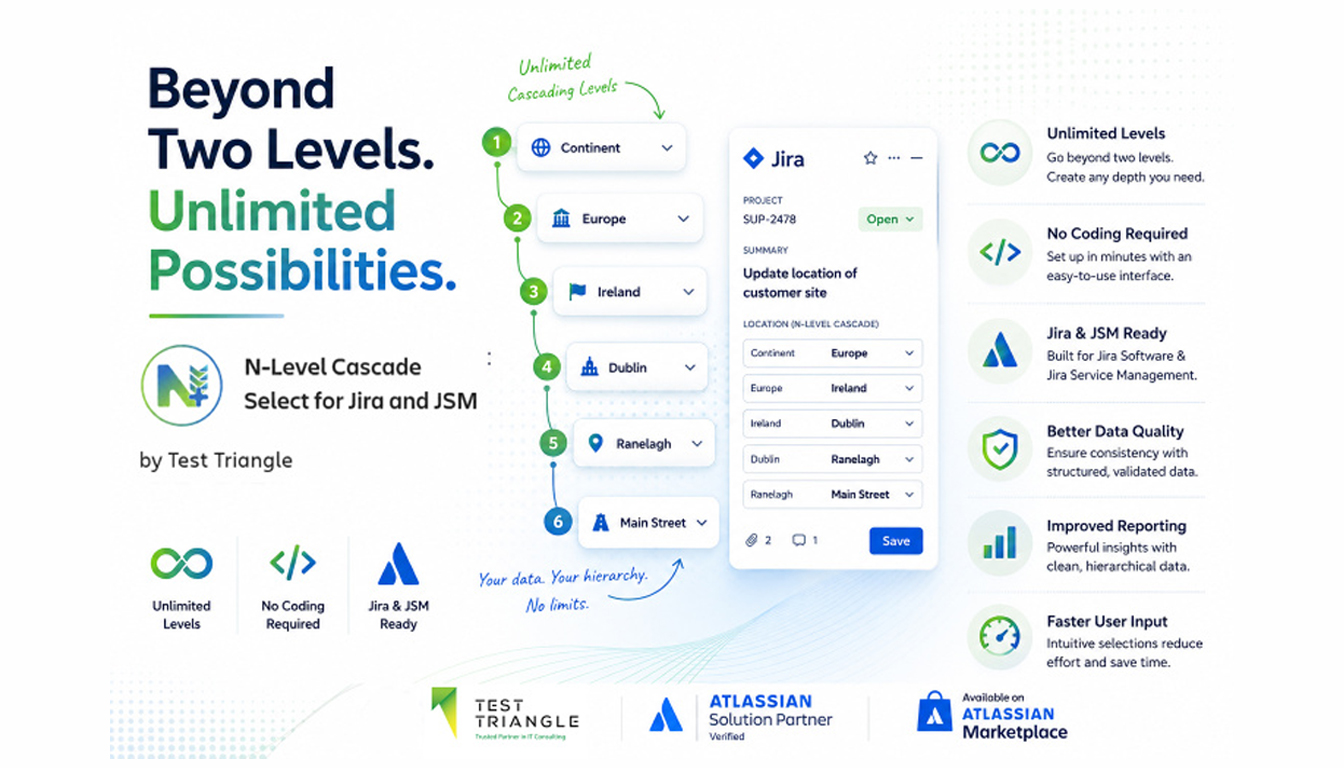
Jira is trusted by organisations worldwide to manage projects, service requests, software development, HR processes, procurement workflows and more. However, one limitation continues to challenge teams across industries: Jira’s native Cascade Select field only supports two levels of hierarchy. For many organisations, data structures are far more complex.
Consider a simple classification hierarchy:
Food Type → Fruits → Tropical → Citrus → Orange → Navel Orange → Organic
Or a location structure:
Continent → Country → State → City → District → Area
These are natural, logical hierarchies that businesses use every day. Yet Jira’s standard field configuration stops at a parent and child selection. As organisations scale, this limitation often leads to workarounds, inconsistent data capture and reporting challenges.
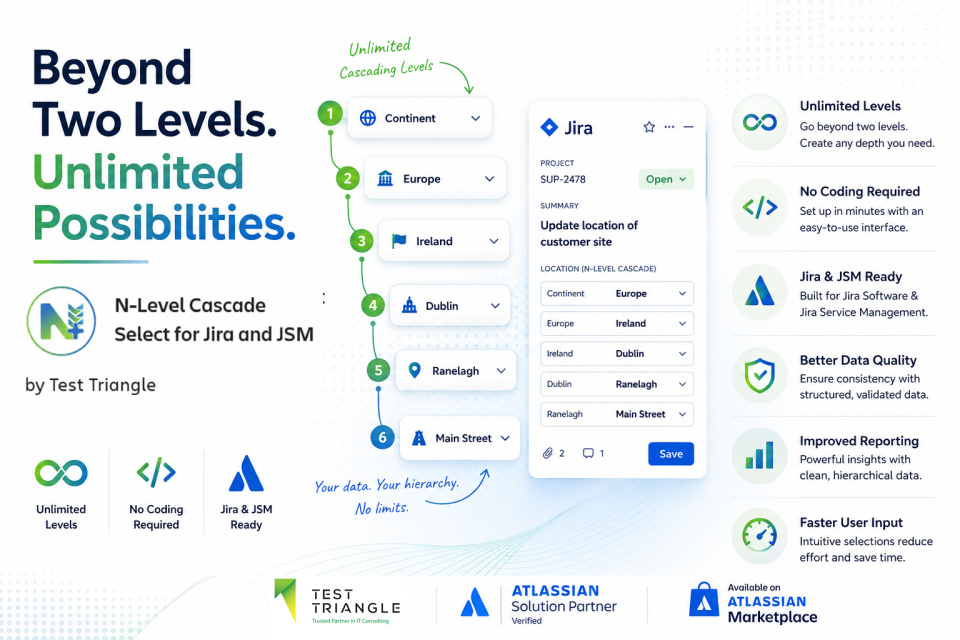
That is exactly why Test Triangle developed
N-Level Cascade Select for Jira and Jira Service Management.
The Challenge of Multi-Level Data Capture in Jira
When Jira’s native fields cannot represent real-world data structures, teams often resort to:
- Large dropdown lists containing hundreds of options
- Multiple disconnected custom fields
- Complex automation rules
- Manual data validation processes
- Custom development and scripting
While these approaches may work temporarily, they frequently create new challenges:
- Poor user experience
- Inconsistent data entry
- Reduced reporting accuracy
- Increased administration overhead
- Greater risk of user error
The result is often messy data and inefficient workflows. Businesses need a better way to capture structured information without sacrificing usability.
What is N-Level Cascade Select for Jira?
N-Level Cascade Select extends Jira’s native capabilities by allowing organisations to create cascading dropdown fields with virtually unlimited depth.
Instead of being restricted to two levels, teams can create:
- 3-level hierarchies
- 5-level hierarchies
- 10-level hierarchies
- Any structure required by the business
Each selection dynamically filters the available options at the next level, creating a guided and intuitive user experience.
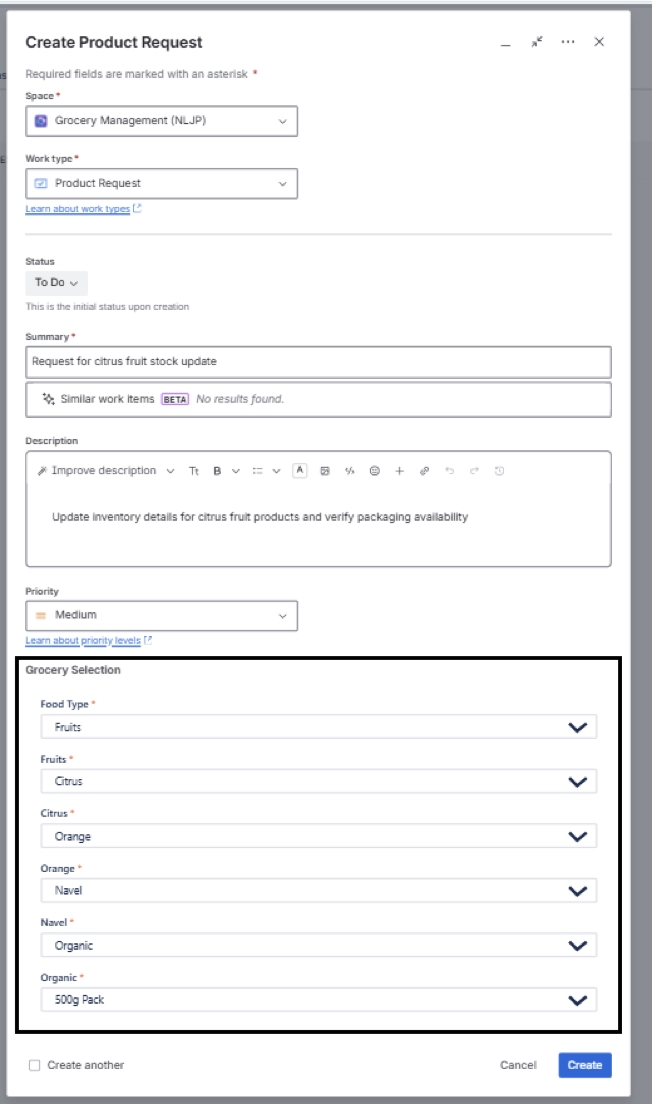
For example: Food Type → Fruits → Citrus → Orange → Navel Orange → Organic
Each choice narrows the next set of options, ensuring users only see relevant selections.The result is cleaner data, faster form completion and significantly improved reporting accuracy.
Key Features of N-Level Cascade Select
1. Dynamic Labels at Every Level
One of the most powerful features of N-Level Cascade Select is the ability to display unique labels at every stage of the hierarchy.
Rather than presenting users with generic dropdown menus, each level clearly communicates what information is required.
Example:
- Food Type → Fruits
- Fruit Category → Citrus
- Citrus Type → Orange
- Orange Variety → Navel
- Production Method → Organic
- Packaging Size → 500g
Users always understand where they are in the selection process, even across six or more levels.
Benefits:
- Improved user experience
- Reduced data entry mistakes
- Faster form completion
- Better adoption by end users
2. Native Integration with Jira Service Management Request Types
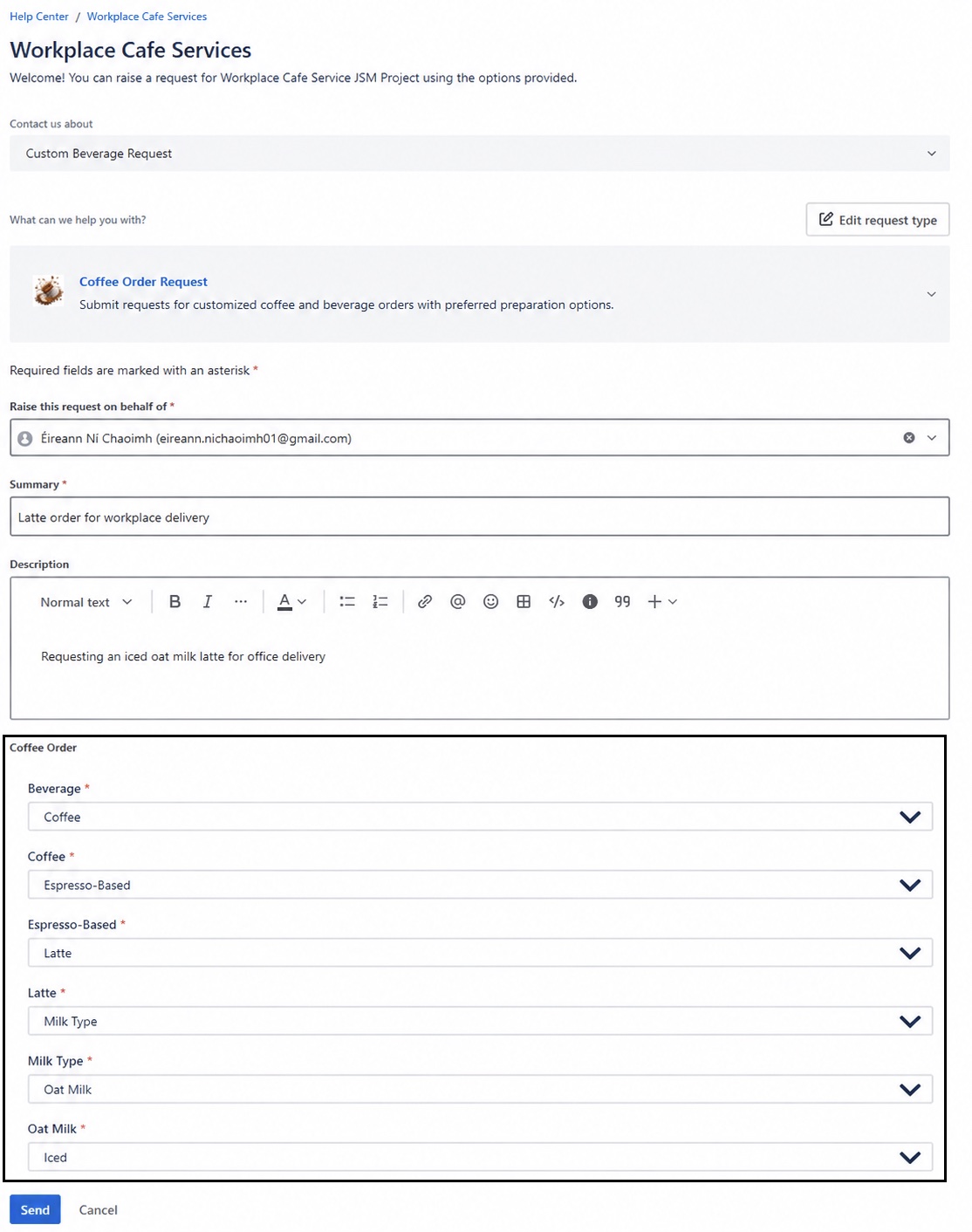
N-Level Cascade Select works directly within Jira Service Management (JSM) Request Types and customer portals. This enables organisations to capture highly detailed information before a ticket is even created.
Example Customer Request:
- Beverage
- Coffee
- Espresso-Based
- Latte
- Milk Type
- Oat Milk
- Iced
Instead of relying on follow-up questions from support agents, the entire request is captured during intake.
Benefits
- Higher quality requests
- Reduced triage effort
- Faster resolution times
- Improved customer experience
For service desk teams managing large request volumes, structured intake can dramatically improve efficiency.
3. Real-Time Configuration Preview
Building complex hierarchies can be challenging without visibility into the final user experience.
That’s why N-Level Cascade Select includes a live preview panel within the configuration interface.
As administrators build their hierarchy, they can immediately see how the field will behave for end users.
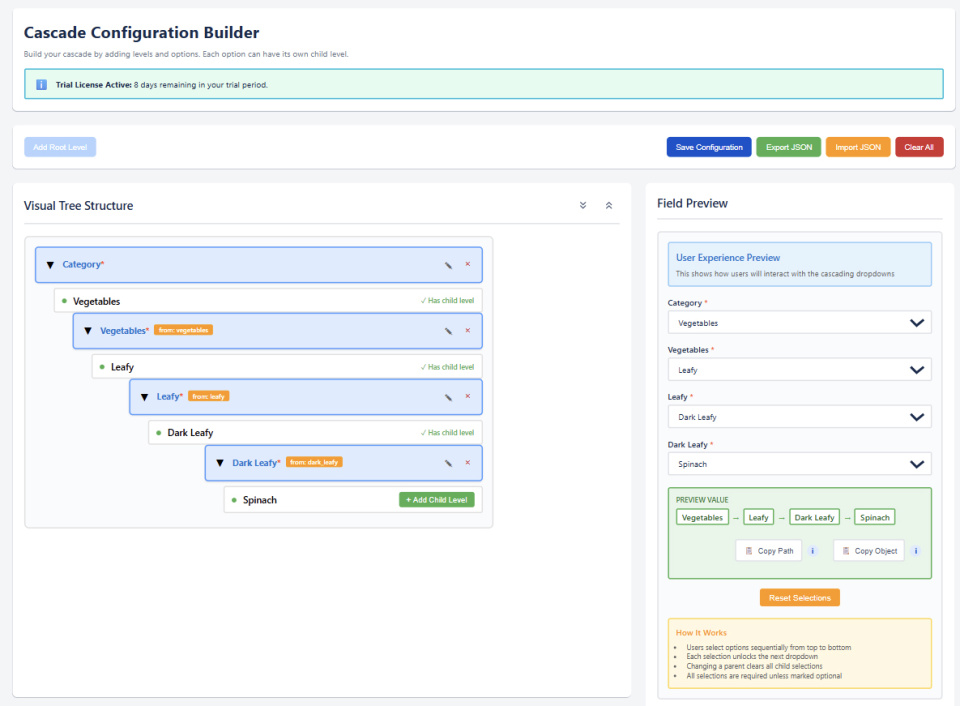
Example – As you create:
- Category
- Vegetables
- Leafy
- Dark Leafy
- Spinach
- Baby Spinach
- Organic
The preview updates instantly. This removes guesswork from the configuration process and significantly reduces setup time.
Benefits
- Faster configuration
- Improved accuracy
- Easier administration
- Reduced testing cycles
4. JSON Import and Export Capabilities
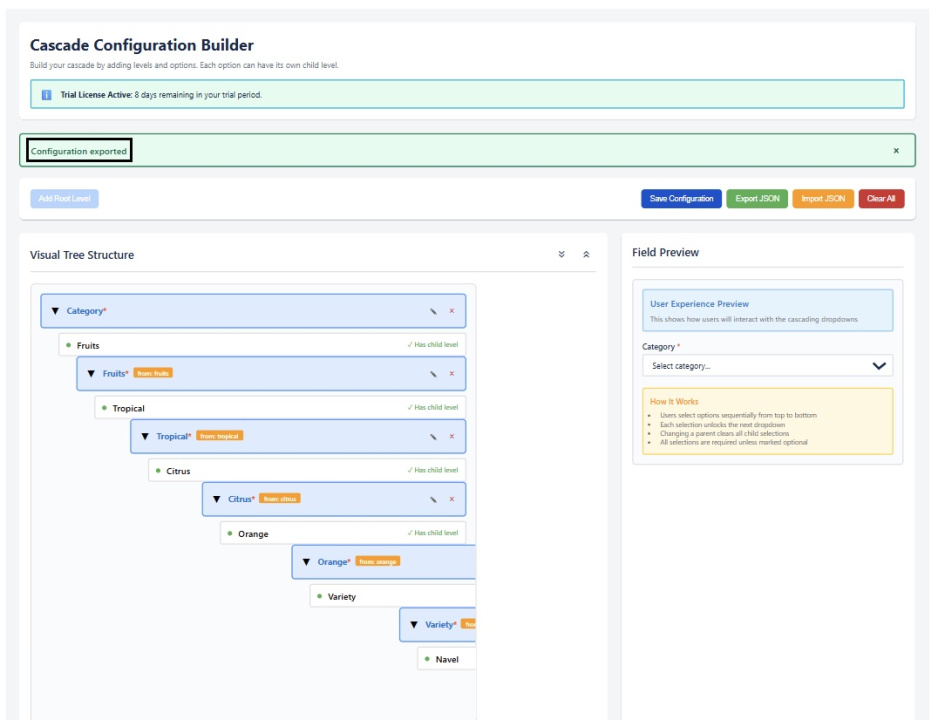
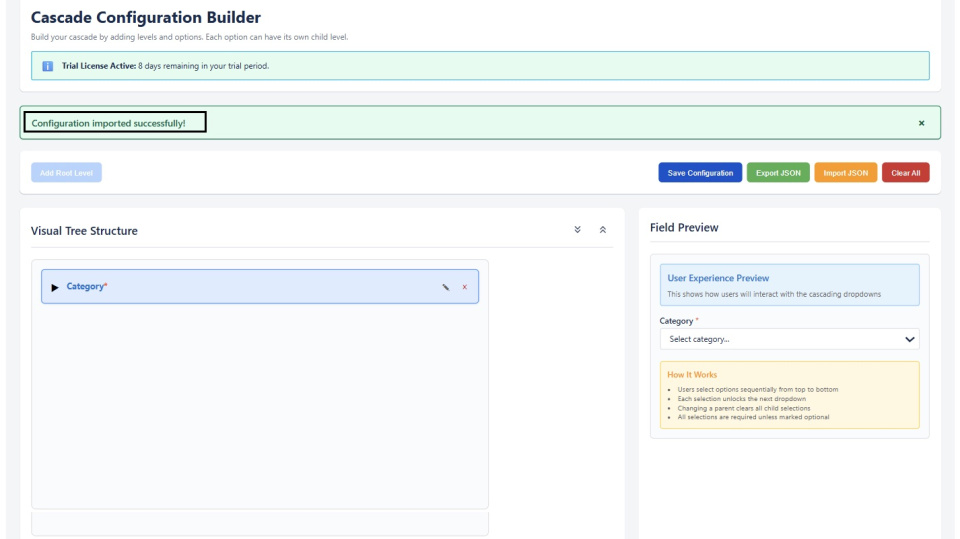
Many organisations already maintain structured classifications outside Jira. N-Level Cascade Select supports full hierarchy import and export using JSON.
Import Use Cases
- Product catalogues
- Asset structures
- Location hierarchies
- Service catalogues
- Department structures
Instead of manually creating hundreds or thousands of options, administrators can import complete hierarchies in seconds.
Export Use Cases
- Backup configurations
- Replicate structures across environments
- Update existing hierarchies
- Version control
This capability makes the solution highly scalable for enterprise environments.
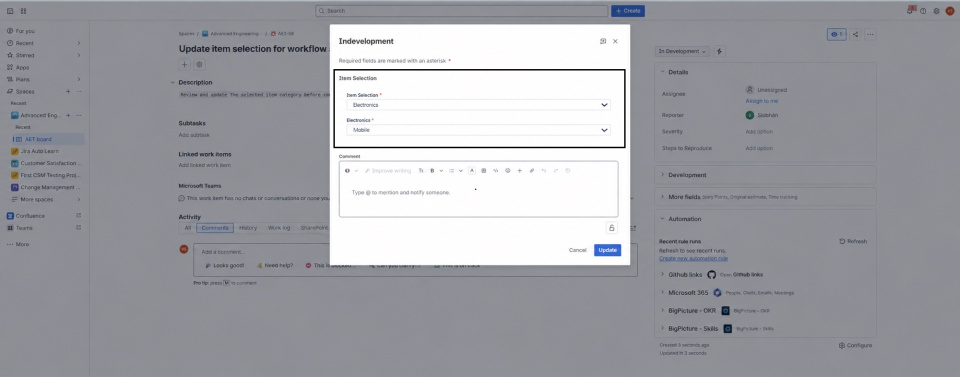
5. Workflow Transition Screen Support
Unlike many field extensions, N-Level Cascade Select also works on Jira workflow transition screens.
When issues move between statuses, users can complete structured selections without leaving the transition process.
Example: A hardware support ticket moves from: Open → In Development
During the transition, users can select: Electronics → Mobile Devices → Smartphones → Android → Samsung → Galaxy Series
The selected value is stored directly against the issue.
Benefits
- Better workflow governance
- Improved process compliance
- Accurate classification at key workflow stages
Built on Atlassian Forge for Enterprise Security
Security and compliance are critical for modern organisations.
N-Level Cascade Select was built entirely on Atlassian Forge, Atlassian’s cloud-native development platform.
This means:
- Data remains within Atlassian infrastructure
- No external servers are required
- No third-party hosting environments
- Simplified compliance requirements
- Enhanced security controls
For organisations operating in regulated sectors such as:
- Healthcare
- Financial Services
- Government
- Legal Services
- Education
Forge-native architecture provides confidence that data remains within the Atlassian ecosystem.
Cloud Migration Ready
As organisations continue moving from Jira Server and Data Centre to Atlassian Cloud, Forge apps provide future-ready compatibility and alignment with Atlassian’s long-term cloud strategy.
Use Cases Across Every Department
IT Service Management Teams. Capture detailed request information:
Issue Type → System → Component → Sub-Component → Priority → SLA Tier
Benefits:
- Faster triage
- Better routing
- Improved reporting
HR Teams
Structure onboarding and employee requests:
Division → Department → Team → Role Level → Employment Type → Location
Benefits:
- Consistent HR processes
- Improved employee experience
- Reduced administrative effort
Finance & Procurement
Classify expenses accurately:
Company → Cost Centre → Budget Category → Expense Type → Vendor Type → Currency
Benefits:
- Improved financial reporting
- Better budget governance
- Reduced manual corrections
Legal & Compliance
Capture regulatory information:
Contract Type → Jurisdiction → Country → Regulatory Body → Standard → Review Status
Benefits:
- Better audit readiness
- Improved compliance tracking
- Easier record retrieval
Product & Engineering Teams
Mirror product architecture directly within Jira:
Product Line → Module → Feature → Sub-Feature → Release Version → Priority
Benefits:
- Cleaner backlog management
- Better reporting
- Improved product governance
Why Structured Data Matters in Jira
The quality of reporting, automation and decision-making in Jira depends on the quality of the data being captured.
Flat drop downs and disconnected fields often result in:
- Duplicate values
- Inconsistent classifications
- Reporting inaccuracies
- Increased administration effort
N-Level Cascade Select ensures data is captured consistently and logically from the beginning.
The deeper the hierarchy, the more valuable structured data becomes.
Getting Started with N-Level Cascade Select
N-Level Cascade Select is available on the Atlassian Marketplace with a free trial.
We recommend testing the app using a real business classification structure rather than a simple demonstration hierarchy.
This provides the fastest way to evaluate how the solution will perform within your environment.
Comprehensive documentation is available covering:
- Installation
- Configuration
- JSON Import and Export
- Jira Service Management Integration
- Best Practices
The Test Triangle team is also available to assist with implementation, configuration and support.
Conclusion
Jira is one of the world’s most powerful workflow platforms, but many organisations require deeper classification structures than native Cascade Select fields can provide.
N-Level Cascade Select removes the two-level limitation and enables businesses to capture structured data exactly as their processes require.
Whether you’re managing service requests, HR workflows, procurement processes, compliance records or product development, the app helps deliver:
- Better data quality
- Improved user experience
- Faster reporting
- Reduced administrative overhead
- Stronger governance
If your business relies on complex hierarchical data, N-Level Cascade Select provides a scalable and intuitive solution built specifically for Jira and Jira Service Management.
Start Your Free Trial Today. Ready to go beyond two levels?
Explore N-Level Cascade Select for Jira and Jira Service Management
on the Atlassian Marketplace and discover how structured data capture can transform your Jira environment.